![Trellis-MainLogo-AllWhite-01.png]](https://help.trellis.org/hs-fs/hubfs/Trellis-MainLogo-AllWhite-01.png?height=40&name=Trellis-MainLogo-AllWhite-01.png)
Some provinces require a separate bank account for lottery proceeds. This article walks you through how to add that account in Trellis so your raffle funds are properly routed.
How to Add a Raffle Bank Account
- Log in to your Trellis account.
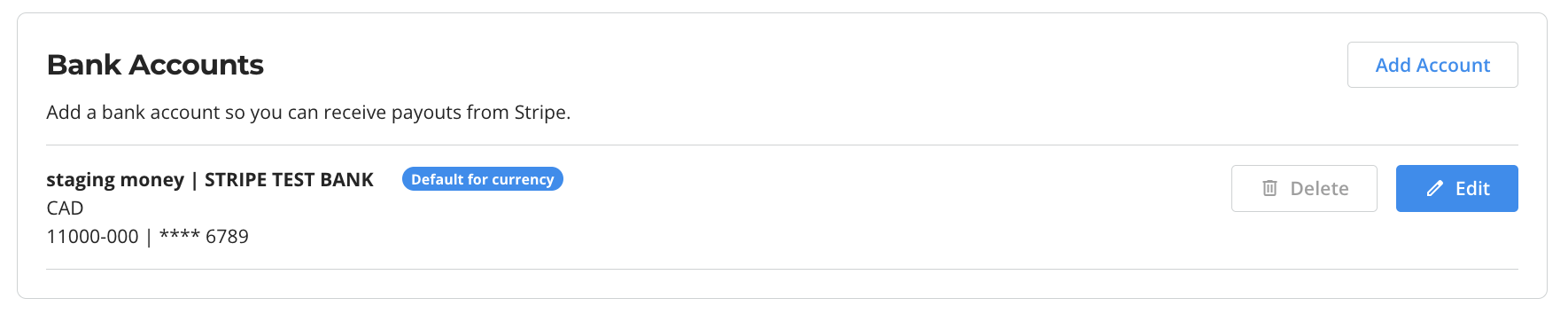
- From your Dashboard, navigate to Payments.
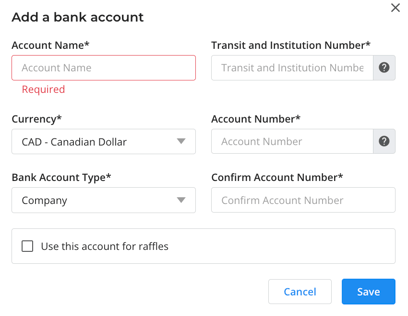
- Click Add Account and add your bank account details.
- Select Use this account for raffles.
You don’t need to worry about routing raffle funds yourself — our team ensures your lottery funds go to the correct account during setup. All you need to do is set the non-lottery default account for everything else.
Need Help?
Did this answer your question? If not, please reach out to the Trellis Engagement team via the blue chat icon or email support@trellis.org.