![Trellis-MainLogo-AllWhite-01.png]](https://help.trellis.org/hs-fs/hubfs/Trellis-MainLogo-AllWhite-01.png?height=40&name=Trellis-MainLogo-AllWhite-01.png)
Having a payment method saved to your Trellis account means you don't need to bring a card to the event. You can bid, donate, and check out in just a few taps.
If you've previously made a purchase or participated in a silent auction on Trellis, a payment method is likely already on file.
How to Add a Payment Method
- Log in to your Trellis account.
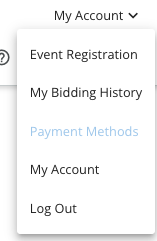
- Click My Account [confirm where this appears, e.g. top-right menu].
- Select Payment Methods.
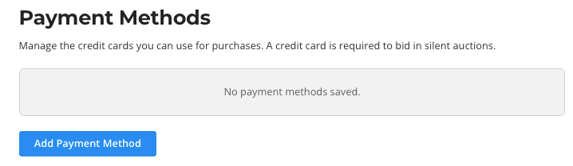
- Click Add Payment Method.
- Enter your card details, then click Save Card.
Pro Tip: Check Payment Methods before event day. If a card is already saved, you won't need to enter it during check-in.