![Trellis-MainLogo-AllWhite-01.png]](https://help.trellis.org/hs-fs/hubfs/Trellis-MainLogo-AllWhite-01.png?height=40&name=Trellis-MainLogo-AllWhite-01.png)
To ensure the highest level of security for your organization's data, Trellis has implemented new, stronger password requirements effective August 25, 2026.
How to Reset Your Password
- Navigate to the Trellis login page: app.trellis.org/login
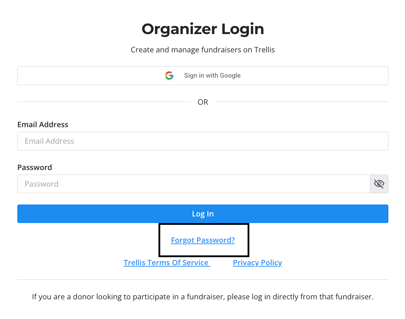
- Click the Forgot Password? link.
- Check your email for the reset instructions.
- Create a new password that follows the updated security requirements displayed on the screen.
Your new password must meet the following requirements:
- At least 12 characters long
- One uppercase letter
- One lowercase letter
- One number
- One special character
Please Note: Your donors and volunteers are not affected by this reset and can continue supporting your organization without interruption via their Magic Links.
Important: Please do not reset your password before Aug 25, as it will simply be reset again when the update goes live.
Frequently Asked Questions
Why is Trellis doing this?
We regularly review our security practices. Upgrading our password requirements ensures your organization's sensitive data is better protected against modern cyber threats.
Will this affect my donors or volunteers?
Donors and volunteers will not have their passwords reset. If they set a new password, it must abide by the current requirements. However, donors and volunteers should continue to login via login links for the best experience.
Does Trellis have Multi-Factor Authentication (MFA)?
We currently do not have MFA, however we are exploring this for 2027.
Did this answer your question?
If not, please reach out to our Product Engagement Team via the blue chat icon or email support@trellis.org.