![Trellis-MainLogo-AllWhite-01.png]](https://help.trellis.org/hs-fs/hubfs/Trellis-MainLogo-AllWhite-01.png?height=40&name=Trellis-MainLogo-AllWhite-01.png)
Leafy is an AI-powered chatbot available right inside your Trellis account. It draws from our knowledge base to answer your questions in real time, so you can get help without leaving the product.
How to Use Leafy
- Log in to your Trellis account. You'll find Leafy in the bottom-left corner of your screen.
- Click the box that says Ask me anything to start chatting.
- Type your question and Leafy will pull answers from our knowledge base to help you.

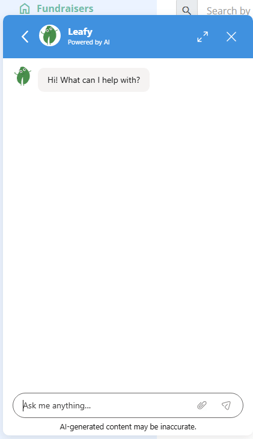
Please Note: Chats with Leafy are monitored and may be reviewed by our team to help improve support quality.
Moving Leafy on Your Screen
- Locate the six dots icon on the Leafy widget.
- Click and hold the six dots, then drag Leafy to any position on your screen.
Viewing Your Past Chats
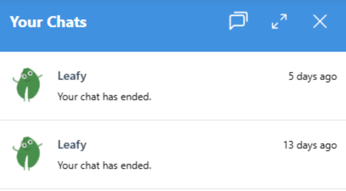
- Click on the Leafy chat window to open it.
- Use the back arrow at the top of the chat to return to your list of past chats.
- Click into a past chat to view the history.
When Leafy Chats Are Escalated
Some questions are too complex for Leafy to fully resolve or require further attention from our team. Leafy will escalate your chat to our team when it involves any of the following:
- Outages
- Contract or pricing
- Privacy or security
- Serious complaints
- Wellbeing or safety
- Extreme dissatisfaction
If your chat is escalated, our team will follow up directly by email. Our team is available Monday through Friday, 8:00 am to 4:00 pm Pacific Time. If your ticket is escalated outside these hours, you can expect a response on the next business day.
Frequently Asked Questions
Is Leafy available at all times?
Yes. Leafy is available 24/7 to help answer your questions directly in the product.
What happens if Leafy can't answer my question?
Depending on the topic, Leafy will escalate your question to our team. We'll reach out to you directly via email once we've had a chance to look into your ticket.